Green Computing: The AI Energy Crisis — What Every Developer Must Know in 2026
The AI revolution is reshaping the world — but at what cost? While developers celebrate the productivity gains of tools like ChatGPT, GitHub Copilot, and Midjourney, a silent crisis is building in the background. Data centers powering these AI systems are consuming electricity at a scale that rivals entire nations. And as developers who build, deploy, and consume AI services daily, we are directly part of this equation.
This guide breaks down the AI energy crisis, explains why green computing matters more than ever in 2025, and gives you practical, actionable techniques to write energy-efficient code in your MERN and Next.js applications — without sacrificing performance.
The Scale of the Problem: AI's Enormous Appetite for Power
Let's start with numbers that should make every developer pause.
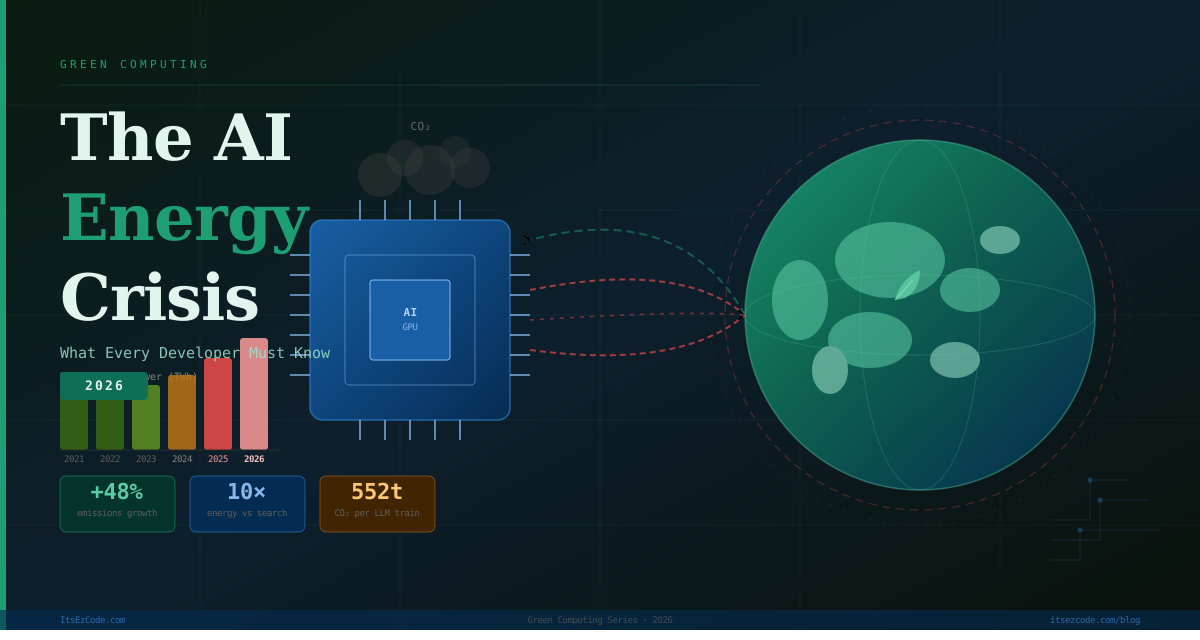
Training GPT-3 consumed an estimated 1,287 MWh of electricity and generated around 552 tonnes of CO₂ — equivalent to driving a car to the moon and back multiple times. GPT-4 is estimated to have consumed several times more. And those are just the training costs. Inference — running the model every time you send a message — adds up continuously, at massive scale.
Microsoft, Google, and Amazon have all reported that their data center energy consumption has surged dramatically since integrating AI into their core products. Google's 2024 sustainability report revealed a 48% increase in greenhouse gas emissions compared to 2019, largely driven by AI infrastructure. This is the same Google that had pledged to operate on carbon-free energy by 2030.
The International Energy Agency (IEA) projects that global data center electricity consumption could double by 2026, with AI workloads being the primary driver.
🌍 Reality Check:
A single ChatGPT query consumes roughly 10x more energy than a standard Google search. With over 100 million daily users, the cumulative energy cost is staggering — and growing every month.
Why Developers Are on the Front Line
It's easy to think of this as a problem for governments, cloud providers, or big tech boardrooms to solve. But as developers, we make hundreds of micro-decisions every day that collectively have massive environmental consequences.
- Do you lazy-load images or load everything upfront?
- Do you cache API responses or hammer the database on every request?
- Do you call an LLM API for tasks that a simple regex could solve?
- Do you deploy to a region powered by renewable energy — or just the default?
These aren't just performance questions. In 2025, they are environmental questions too. Green computing is the discipline of making these decisions consciously, with energy efficiency as a first-class concern alongside speed and cost.
Understanding the Carbon Footprint of Your Stack
Before you can optimize, you need to understand where energy is actually spent in a modern MERN or Next.js application.
The Three Layers of Energy Consumption
1. Client-side (the browser): Every JavaScript bundle you ship, every animation you run, every unnecessary re-render — all burn CPU cycles on your users' devices. Mobile devices on battery are especially sensitive to this.
2. Server-side (your backend and APIs): Node.js API servers, Next.js SSR rendering, database queries, and third-party API calls all consume server resources. Inefficient queries or unoptimized server logic translate directly into energy waste at the data center.
3. AI API calls: This is the new and fastest-growing layer. Every call to OpenAI, Anthropic, Google Gemini, or similar services triggers large-scale GPU computation. Unnecessary or redundant AI calls are both expensive and environmentally costly.
// ❌ Energy-wasteful pattern: calling AI for every keystroke
const handleSearchInput = async (query) => {
  // This fires an LLM API call on every single input change
  const result = await openai.chat.completions.create({
    model: "gpt-4",
    messages: [{ role: "user", content: `Search for: ${query}` }]
  });
  setResults(result.choices[0].message.content);
};

// ✅ Green pattern: debounce + cache + only call AI when truly needed
const searchCache = new Map();

const handleSearchInput = useMemo(() =>
  debounce(async (query) => {
    if (query.length < 3) return;

    // Check cache first — zero energy cost for repeated queries
    if (searchCache.has(query)) {
      setResults(searchCache.get(query));
      return;
    }

    const result = await openai.chat.completions.create({
      model: "gpt-4o-mini", // smaller model = less energy
      messages: [{ role: "user", content: `Search for: ${query}` }]
    });

    const content = result.choices[0].message.content;
    searchCache.set(query, content);
    setResults(content);
  }, 600), // wait 600ms after user stops typing
[]);
💡 Pro Tip:
Switching from GPT-4 to GPT-4o-mini for lightweight tasks can reduce energy consumption per call by up to 90%, with minimal quality difference for simple operations like classification, summarization, or search augmentation.
Green Next.js: Practical Techniques to Reduce Your Carbon Footprint
1. Choose the Right Rendering Strategy
Next.js gives you powerful control over how and when content is rendered. Each strategy has a different energy profile.
// app/products/page.tsx

// ✅ Static Generation (SSG) — lowest energy cost
// Computed once at build time, served from CDN with zero server compute per request
export const dynamic = 'force-static';

export default async function ProductsPage() {
  const products = await fetchProducts(); // runs once at build, not per request
  return <ProductGrid products={products} />;
}
// ✅ Incremental Static Regeneration (ISR) — balanced approach
// Revalidates in the background, serves cached HTML to all users in between
export const revalidate = 3600; // regenerate at most once per hour
export default async function BlogPage() {
const posts = await fetchBlogPosts();
return <BlogList posts={posts} />;
}// ⚠️ Use SSR only when you genuinely need real-time personalized data
// Every request triggers server compute — higher energy cost at scale
export const dynamic = 'force-dynamic';
export default async function DashboardPage() {
const session = await getServerSession();
const data = await fetchUserSpecificData(session.user.id);
return <Dashboard data={data} />;
}The golden rule: static is greenest. Before reaching for SSR, ask yourself whether the content truly needs to be fresh on every request, or if ISR with a reasonable revalidation window would serve the same purpose.
2. Optimize Images Aggressively
Images are often the single largest contributor to page weight and therefore browser-side energy consumption. Next.js's Image component handles this well, but you have to use it correctly.
import Image from 'next/image';

// ❌ Wasteful: loading a 4K image for a 200px thumbnail slot
<img src="/hero.jpg" width="200" height="200" />

// ✅ Green: Next.js Image with proper sizing, modern format, and lazy loading
<Image
  src="/hero.jpg"
  alt="Product hero image"
  width={200}
  height={200}
  format="webp"          // WebP is ~30% smaller than JPEG at same quality
  quality={75}           // 75 is visually identical to 100 for most use cases
  loading="lazy"         // only load when entering the viewport
  placeholder="blur"     // no layout shift = no wasted repaints
/>
3. Implement Aggressive Caching at Every Layer
Caching is the single most impactful green computing technique available to web developers. Every cache hit is a computation that didn't happen — energy that wasn't spent.
// Next.js 15 fetch with granular caching
async function getProductData(productId: string) {
  const res = await fetch(`${process.env.API_URL}/products/${productId}`, {
    next: {
      revalidate: 86400, // cache for 24 hours — most product data doesn't change hourly
      tags: [`product-${productId}`] // allows targeted invalidation when data changes
    }
  });
  return res.json();
}

// Invalidate only when something actually changes — not on a timer
// app/api/webhooks/product-updated/route.ts
import { revalidateTag } from 'next/cache';

export async function POST(request: Request) {
  const { productId } = await request.json();
  revalidateTag(`product-${productId}`); // surgical invalidation — only this product
  return Response.json({ revalidated: true });
}
// Express.js: Redis caching for MERN API responses
const redis = require('redis');
const client = redis.createClient({ url: process.env.REDIS_URL });
const cacheMiddleware = (ttlSeconds = 3600) => async (req, res, next) => {
const cacheKey = `api:${req.url}`;
try {
const cached = await client.get(cacheKey);
if (cached) {
// Cache hit — zero database query, zero compute, pure energy savings
res.setHeader('X-Cache', 'HIT');
return res.json(JSON.parse(cached));
}
} catch (err) {
console.warn('Cache read failed, proceeding without cache:', err.message);
}
// Store original json method to intercept response
const originalJson = res.json.bind(res);
res.json = async (data) => {
try {
await client.setEx(cacheKey, ttlSeconds, JSON.stringify(data));
} catch (err) {
console.warn('Cache write failed:', err.message);
}
res.setHeader('X-Cache', 'MISS');
return originalJson(data);
};
next();
};
// Apply to routes with stable data
router.get('/products', cacheMiddleware(3600), getProducts);
router.get('/categories', cacheMiddleware(86400), getCategories);4. Right-size Your AI Model Calls
Not every AI task requires your most powerful — and most energy-hungry — model. Building a model selection strategy into your application can dramatically reduce AI-related energy consumption.
// lib/ai.ts — intelligent model routing based on task complexity
import OpenAI from 'openai';

const openai = new OpenAI({ apiKey: process.env.OPENAI_API_KEY });

type TaskComplexity = 'simple' | 'moderate' | 'complex';

const MODEL_MAP: Record<TaskComplexity, string> = {
  simple:   'gpt-4o-mini',   // classification, yes/no, short extraction
  moderate: 'gpt-4o',        // summarization, Q&A, moderate reasoning
  complex:  'gpt-4-turbo',   // multi-step reasoning, code generation, analysis
};

export async function callAI(
  prompt: string,
  complexity: TaskComplexity = 'simple',
  systemPrompt?: string
) {
  const model = MODEL_MAP[complexity];

  const response = await openai.chat.completions.create({
    model,
    max_tokens: complexity === 'simple' ? 150 : complexity === 'moderate' ? 500 : 2000,
    messages: [
      ...(systemPrompt ? [{ role: 'system' as const, content: systemPrompt }] : []),
      { role: 'user', content: prompt }
    ],
  });

  return response.choices[0].message.content;
}

// Usage examples
const sentiment  = await callAI('Is this review positive or negative? "Great product!"', 'simple');
const summary    = await callAI('Summarize this article: ' + articleText, 'moderate');
const codeReview = await callAI('Review this function for bugs: ' + code, 'complex');
🌱 Green Impact:
Routing 70% of your AI calls to lightweight models (mini/small variants) while reserving powerful models for genuinely complex tasks can reduce your AI-related energy consumption by 60–80% with minimal impact on output quality.
Carbon-Aware Deployment: Where You Deploy Matters
The same computation run in different regions can have wildly different carbon footprints, depending on how the local grid is powered.
Choose Green Regions
Major cloud providers publish their renewable energy data by region. As a general guide:
- AWS:
eu-north-1(Stockholm) andeu-west-1(Ireland) have the highest renewable energy ratios - Google Cloud:
europe-north1(Finland) runs on nearly 100% carbon-free energy - Vercel: Deploys to a global CDN, but your serverless functions run in a specific origin region — choose wisely
// vercel.json — deploy serverless functions to a greener region
{
  "regions": ["arn1"], // Stockholm (AWS eu-north-1) — high renewable energy ratio
  "functions": {
    "app/api/**": {
      "maxDuration": 10  // shorter max duration = less idle compute waste
    }
  }
}
Use Carbon-Aware Scheduling for Background Jobs
If you run batch jobs, data processing, or model fine-tuning, scheduling them during periods of low grid carbon intensity is a zero-cost green win.
// Schedule energy-intensive tasks during low-carbon grid hours
// Using the WattTime or Electricity Maps API

const axios = require('axios');

async function getCurrentCarbonIntensity(region = 'US-CAL-CISO') {
  const response = await axios.get('https://api.electricitymap.org/v3/carbon-intensity/latest', {
    params: { zone: region },
    headers: { 'auth-token': process.env.ELECTRICITY_MAP_TOKEN }
  });
  return response.data.carbonIntensity; // gCO₂eq/kWh
}

async function scheduleIfGreenEnough(jobFn, maxCarbonIntensity = 150) {
  const intensity = await getCurrentCarbonIntensity();

  if (intensity <= maxCarbonIntensity) {
    console.log(`✅ Grid is clean (${intensity} gCO₂/kWh). Running job now.`);
    await jobFn();
  } else {
    console.log(`⏳ Grid is dirty (${intensity} gCO₂/kWh). Deferring job.`);
    // Re-check in 30 minutes
    setTimeout(() => scheduleIfGreenEnough(jobFn, maxCarbonIntensity), 30 * 60 * 1000);
  }
}

// Usage
await scheduleIfGreenEnough(runNightlyReportGeneration);
MongoDB Green Practices: Query Efficiency as Energy Efficiency
Inefficient database queries don't just slow your app — they waste server CPU and I/O, which translates directly into energy consumption.
// ❌ Wasteful: fetching entire documents when only a few fields are needed
const users = await User.find({ active: true });

// ✅ Green: project only required fields — less data transferred, less memory, less CPU
const users = await User.find(
  { active: true },
  { name: 1, email: 1, role: 1, _id: 0 } // only what you actually need
);

// ❌ Wasteful: N+1 queries — one DB round trip per item
const orders = await Order.find({ status: 'pending' });
for (const order of orders) {
  order.customer = await User.findById(order.customerId); // N separate queries!
}

// ✅ Green: populate in a single query — one round trip, same result
const orders = await Order.find({ status: 'pending' })
  .populate('customer', 'name email')  // single joined query
  .lean()                              // .lean() returns plain objects, 5-10x less memory
  .select('orderNumber totalAmount status customer');
// Always index fields you query by — unindexed queries do full collection scans
// A full scan on a 1M document collection is thousands of times more expensive than an index lookup
// Add this to your Mongoose schema
orderSchema.index({ status: 1, createdAt: -1 }); // compound index for common query pattern
orderSchema.index({ customer: 1, status: 1 });
// Audit slow queries in development using explain()
const explanation = await Order.find({ status: 'pending' }).explain('executionStats');
console.log('Docs examined:', explanation.executionStats.totalDocsExamined);
console.log('Docs returned:', explanation.executionStats.nReturned);
// If examined >> returned, you need an indexMeasuring Your Application's Carbon Footprint
You can't improve what you don't measure. These tools help you quantify your application's environmental impact.
Website Carbon Calculator
The Website Carbon Calculator gives you an instant estimate of CO₂ per page visit based on data transfer size and hosting energy source. Integrate it into your CI pipeline to catch regressions:
# .github/workflows/carbon-check.yml
name: Carbon Budget Check

on: [pull_request]

jobs:
  carbon:
    runs-on: ubuntu-latest
    steps:
      - uses: actions/checkout@v3

      - name: Check page weight (proxy for carbon)
        run: |
          BUNDLE_SIZE=$(npm run build 2>&1 | grep "First Load JS" | awk '{print $NF}')
          echo "Bundle size: $BUNDLE_SIZE"
          # Fail the build if First Load JS exceeds 150kB
          node -e "
            const size = '$BUNDLE_SIZE';
            const kb = parseInt(size);
            if (kb > 150) {
              console.error('❌ Bundle too large: ' + size + ' (limit: 150 kB)');
              process.exit(1);
            }
            console.log('✅ Bundle within carbon budget: ' + size);
          "
Lighthouse Green Metrics
Lighthouse's performance score is a reasonable proxy for energy efficiency. A higher score generally means less CPU work for the browser.
Key metrics to track from a green computing perspective:
- Total Blocking Time (TBT): CPU-intensive JS on the main thread
- Largest Contentful Paint (LCP): Indirectly measures unnecessary resource loading
- Total page weight: Data transferred = energy at CDN, network, and device levels
🎯 Your Green Computing Checklist
- ✅ Use SSG or ISR instead of SSR wherever real-time data isn't required
- ✅ Implement Redis caching for API responses with stable data
- ✅ Right-size AI model calls — use mini models for simple tasks
- ✅ Debounce and cache AI requests on the client side
- ✅ Optimize images with WebP, lazy loading, and correct sizing
- ✅ Add MongoDB indexes on all frequently queried fields
- ✅ Use .lean() and field projection on Mongoose queries
- ✅ Deploy to green regions with high renewable energy ratios
- ✅ Schedule batch jobs during low grid carbon intensity periods
- ✅ Set bundle size budgets in your CI pipeline
The Business Case for Green Computing
If the environmental argument alone doesn't move your team or clients, the business case is equally compelling.
Cost savings: Energy-efficient code runs on less infrastructure. Aggressive caching, optimized queries, and right-sized AI calls directly reduce your cloud and API bills. Many companies report 30–50% cost reductions after systematic green computing audits.
Performance wins: Every green optimization in this guide is also a performance optimization. Faster pages rank better on Google, convert better in e-commerce, and retain users more effectively.
Regulatory pressure: The EU's Corporate Sustainability Reporting Directive (CSRD) now requires large companies to report on digital environmental impact. This pressure is cascading down to vendors and development agencies. Building green practices now puts you ahead of incoming requirements.
Talent and reputation: An increasing number of developers — especially junior developers entering the field — actively want to work on products they feel good about. Green computing practices are becoming a meaningful part of employer branding.
Common Pitfalls to Avoid
⚠️ Green Computing Mistakes to Avoid:
Greenwashing Your Stack
Choosing a cloud provider that claims "100% renewable energy" doesn't mean your workload is actually green. Renewable energy certificates (RECs) are often purchased to offset, not replace, fossil fuel use. Check for real-time carbon-free energy percentages, not just annual offsets.
Optimizing the Wrong Things
Spending hours shaving 5ms off a React render while your app makes 50 redundant AI API calls per session is misplaced effort. Profile first. The biggest wins are almost always in caching, query optimization, and AI call reduction — not micro-optimizations.
Treating Green Computing as a One-Time Audit
New features introduce new energy costs. Build carbon awareness into your development process — PR checklists, bundle size budgets in CI, and periodic query audits — rather than treating it as a one-off cleanup project.
Ignoring the User's Device
Data centers get all the attention, but end-user devices collectively consume enormous energy running your JavaScript. Heavy client-side rendering, infinite scroll without virtualization, and bloated bundles all drain batteries at scale across millions of devices.
The Road Ahead: What's Coming in Green AI
The tension between AI's capabilities and its energy cost is one of the defining technology challenges of the next decade. Here's what to watch:
More efficient model architectures: Research into sparse models, mixture-of-experts, and quantization is rapidly reducing the energy cost per inference. Models in 2026 are expected to deliver GPT-4-level quality at a fraction of the current energy cost.
Carbon-aware cloud infrastructure: AWS, Google Cloud, and Azure are all building carbon intensity APIs and carbon-aware scheduling directly into their platforms, making it much easier for developers to automate green deployment decisions.
Edge AI: Running small, quantized models directly on edge nodes or even user devices eliminates the data center round trip entirely for many use cases — the greenest inference is the one that never hits a GPU cluster.
Developer tooling: Expect to see IDE plugins, CI integrations, and framework-level features that surface energy impact estimates alongside performance metrics, making green computing a first-class part of the development feedback loop.
Conclusion: Green Code Is Good Code
The AI energy crisis is real, it's growing, and developers are not bystanders — we are active participants. Every architectural decision, every API call strategy, every deployment region choice is a small vote cast in one direction or another.
The encouraging truth is that green computing and good software engineering are almost entirely aligned. Caching more, querying smarter, rendering less, and choosing models appropriately are all practices that make your applications faster, cheaper, and more maintainable — while also being significantly kinder to the planet.
You don't have to choose between building powerful AI-driven applications and being a responsible developer. You just have to be deliberate about it.
Start with the checklist above. Pick one or two items your current project is missing. Implement them this sprint. Measure the impact — on performance, on cost, and where possible, on estimated carbon. Then iterate.
Green computing isn't a destination. It's a discipline. And in 2025, it's one of the most important disciplines a web developer can develop.
For more practical guides on building modern, responsible web applications with MERN and Next.js, visit ItsEzCode and join thousands of developers who are shipping faster and building smarter.
Additional Resources
- Green Web Foundation — Check if your hosting is powered by renewable energy
- Website Carbon Calculator — Estimate CO₂ per page visit
- Electricity Maps API — Real-time carbon intensity by grid region
- Vercel AI SDK — Energy-efficient streaming AI for Next.js
- WattTime API — Carbon-aware scheduling for background jobs
- Sustainable Web Design — Methodology for estimating digital carbon
Last updated: March 2026
The green computing landscape is evolving fast — bookmark this guide and check back for updates as new tools and standards emerge.

Malik Saqib
I craft short, practical AI & web dev articles. Follow me on LinkedIn.