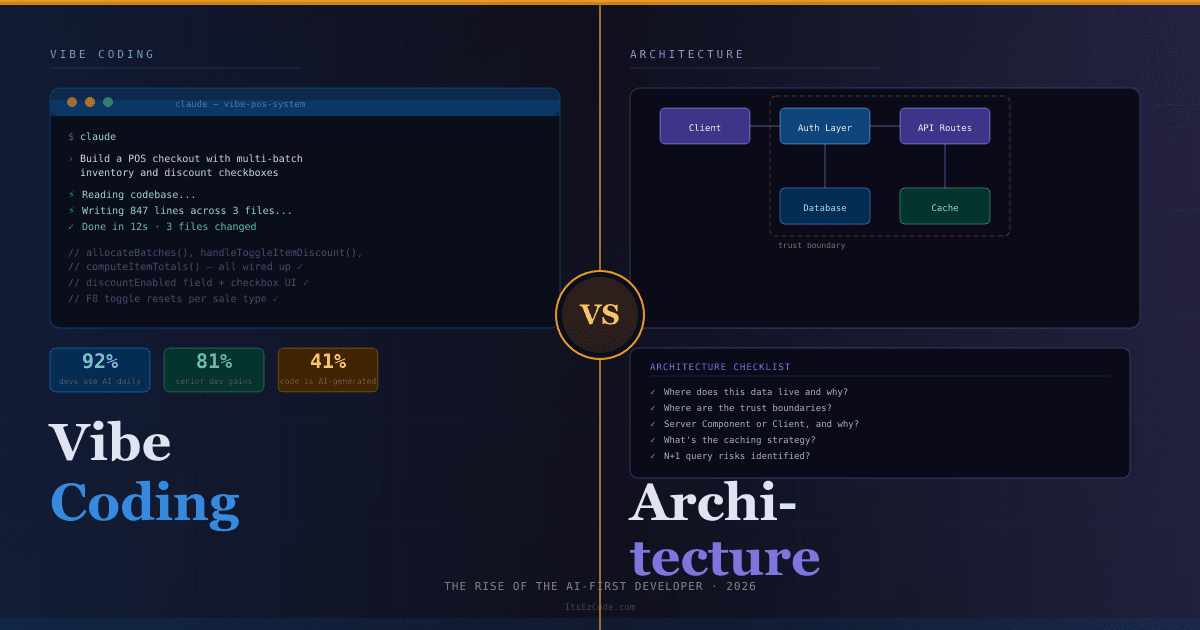
"Vibe Coding" vs. Architecture: The Rise of the AI-First Developer
In February 2025, Andrej Karpathy posted a casual observation that detonated across the developer internet: he was building software by describing what he wanted to an LLM, accepting the code almost entirely as-is, and "just vibing." He called it vibe coding. He acknowledged the code grew "beyond his usual comprehension." He suggested it was best for throwaway weekend projects.
Fourteen months later, Collins Dictionary has shortlisted "vibe coding" as a candidate for Word of the Year 2026. Fortune 500 companies have adopted it at scale. And a startling 41% of all global code is now AI-generated — representing 256 billion lines written in 2024 alone.
The casual experiment became an industry methodology faster than anyone predicted. And now developers everywhere are wrestling with the most important question of their careers: in a world where AI can write the code, what exactly is the developer's job?
What Vibe Coding Actually Means in 2026
The original definition — describe intent, accept output, don't worry too much about understanding it — has evolved significantly. The 2026 reality is more disciplined and more powerful.
Vibe coding now means writing precise natural-language specifications, steering AI agents through conversational refinement, reviewing generated output for correctness and security, and maintaining architectural oversight of everything the AI produces. It is not no-code. It is not low-code. The developer remains deeply involved — but the medium of expression has shifted from syntax to specification.
💡 The Key Shift:
Instead of writing implementation code line by line, the AI-first developer writes precise specifications, reviews generated output, and steers AI agents through conversational refinement. The "vibe" has become less about casualness and more about fluency in directing AI systems toward correct, maintainable software.
The numbers reflect just how mainstream this has become. 92% of US developers now use AI coding tools daily. Senior developers (10+ years experience) report 81% productivity gains. Mid-level developers see 51% faster task completion. The tools have crossed a quality threshold where this approach is viable for production software — not just prototypes.
But here is the tension that nobody talks about enough: the same AI fluency that unlocks those productivity gains also introduces new failure modes. And the most dangerous ones live at the architecture level.
The Spectrum: Where Vibe Coding Wins and Where It Fails
Not all development tasks are equally suited to AI-first workflows. Understanding where vibe coding pays off — and where it quietly accumulates technical debt — is the core skill of the modern developer.
Where AI-First Development Shines
Rapid prototyping and iteration. Describe a feature in plain English, get working code in minutes, iterate based on feedback in seconds. What used to take days now takes hours. This is where the 81% productivity figure comes from.
Boilerplate and scaffolding. API routes, database schemas, form validation, authentication flows — these are high-pattern, low-surprise tasks that current models handle with impressive accuracy.
Test generation. Describe what a function should do, ask the AI to write test cases including edge cases. The AI often catches scenarios humans miss.
Documentation. AI-generated documentation from code context is consistently good. This is one of the highest-ROI applications of AI in a real development workflow.
Debugging with context. Modern AI IDEs like Cursor and Windsurf can read your entire codebase. Paste an error, get a contextually aware fix that understands your specific stack and conventions.
Where Architecture Still Requires Human Judgment
Here is the uncomfortable reality that the productivity statistics don't capture: AI is very good at writing code that works locally and very bad at reasoning about how that code will behave at scale, under adversarial conditions, or as part of a larger evolving system.
A real example circulated in the developer community recently. A founder used vibe coding to build a SaaS application quickly. The AI handled all the security logic — but placed it entirely on the client side. Within 72 hours of launch, users discovered they could change a single value in the browser console to bypass all paid feature gates. The founder couldn't audit 15,000 lines of accumulated AI-generated code. The project shut down entirely.
This is not a story about vibe coding being bad. It's a story about vibe coding without architectural oversight being catastrophic.
⚠️ The Security Blind Spot:
Roughly 24.7% of AI-generated code contains a security flaw. Even the most capable models in 2026 — Claude 4, GPT-5, Gemini 2.5 Pro — are probabilistic systems. They still hallucinate security checks, accidentally delete auth keywords, and place critical logic in the wrong layer. High-impact logic always needs a human in the loop.
The AI-First Developer's Toolkit in 2026
The vibe coding ecosystem has exploded. There are now four distinct tiers of tooling, each suited to different workflows and experience levels.
Tier 1 — Browser-Based Builders (Zero Setup)
These tools require no installation. You describe what you want and get a working prototype.
Bolt.new remains the speed king for web apps. Paste a description of your Next.js application and get a working prototype in minutes. Best for early validation before you've committed to an architecture.
v0.dev (Vercel) is optimized for React component generation with deep understanding of Next.js App Router conventions, Server Components, and Tailwind. If you work in the Next.js ecosystem, this is an essential tool.
Lovable focuses on full-stack apps with Supabase integration. Strong for CRUD applications with authentication where the data model is relatively straightforward.
Tier 2 — AI-Native IDEs (Your Daily Driver)
This is where professional vibe coding happens. These tools read your entire codebase, understand context across files, and make multi-file changes.
Cursor dominated the 2024–2025 landscape and remains excellent. Its tab completion and codebase-aware chat are the benchmark most other tools are measured against.
Windsurf has emerged as the choice for high-stakes engineering work in 2026. Its Cascade feature handles complex multi-step tasks with better coherence across long sessions.
Here's how to use Cursor effectively for a MERN stack project:
// .cursor/rules — Project conventions file
// This file is read before every Cursor interaction

// Tech stack
// - Next.js 15 App Router
// - MongoDB with Mongoose
// - NextAuth.js with JWT strategy
// - Tailwind CSS + shadcn/ui

// Conventions
// - All API routes in app/api/ follow REST conventions
// - Mongoose models in lib/models/ with JSDoc
// - Always use .lean() and field projection on queries
// - Environment variables validated in lib/env.js
// - Error responses: { success: false, message: string, code: string }

// Security rules (NEVER violate these)
// - Auth checks happen server-side only, never in client components
// - Never expose _id in API responses — map to id
// - Rate limit all auth endpoints
// - Validate and sanitize all user inputs with Zod
This rules file is the difference between AI that generates generic code and AI that generates code that fits your specific project. Every prompt inherits these constraints automatically.
Tier 3 — Terminal Agents (Maximum Power)
These tools run in your terminal. No GUI. You describe what you want, the agent reads your entire codebase, writes code across multiple files, runs commands, and iterates.
Claude Code (Anthropic) is a terminal-first AI coding agent consistently rated strongest for reasoning-heavy tasks — understanding legacy code, catching edge cases, and writing architecturally clean implementations. Best for complex multi-file changes and projects where code quality matters more than speed.
# Initialize Claude Code in your project
claude

# Example: complex refactor with architectural context
> Refactor the authentication flow in this Next.js app to use
  the new JWT callback pattern from route.js. The current
  implementation hits the database on every request which is
  causing ETIMEDOUT errors with our Neon serverless database.
  Add a 5-minute caching layer using roleRefreshedAt timestamps.
  Maintain all existing session types and middleware behavior.
Claude Code reads your entire codebase, understands the problem in full context, makes changes across all relevant files, and explains what it changed and why. For complex refactors that would take a developer an afternoon, this often takes minutes.
OpenAI Codex CLI is a strong competitor, particularly for rapid prototyping scenarios where speed matters more than architectural precision.
Tier 4 — Multi-Model Orchestration (The Frontier)
The most sophisticated teams in 2026 are routing different phases of work to different models based on their strengths:
// Multi-model workflow for a complex feature
const workflow = {
  planning: "claude-opus-4",        // architectural reasoning, long context
  implementation: "gpt-4o",         // rapid code generation
  review: "claude-sonnet-4",        // security audit, edge case detection
  documentation: "gpt-4o-mini",     // high quality, low cost for prose
};

// Each model handles what it's best at
// Human remains the orchestrator and final decision-maker
This is not a hypothetical. Teams using multi-model orchestration are reporting the highest quality outputs combined with the lowest per-feature costs.
The CLAUDE.md Pattern: Context Is Everything
The single most underrated practice in professional vibe coding is persistent project context. Without it, AI agents lose coherence across sessions, forget your conventions, and generate code that technically works but doesn't fit your architecture.
The solution is a CLAUDE.md file in your project root. Claude Code reads it automatically before every interaction. Cursor-based workflows use .cursor/rules. This is not optional — it is the backbone of any serious vibe coding workflow.
# CLAUDE.md — Al-Makkah Pharmacy POS System

## Project Overview
Next.js 15 pharmacy POS system with MERN backend.
Multi-tenant SaaS. Currently single-tenant, being extended.

## Architecture Rules
- App Router only. No pages/ directory.
- Server Components by default. Client Components only when
  interactivity is required (forms, real-time updates, browser APIs).
- API routes handle all data mutations. No direct DB calls
  from Server Components in production flows.

## Database
- Prisma ORM with Neon serverless PostgreSQL
- Connection: always use the pooled connection string
- Never use raw SQL — Prisma client only
- Always use select: {} to project only needed fields

## Security Non-Negotiables
- Auth checks: server-side only, never trust client state
- All inputs validated with Zod before DB operations
- Rate limiting on all /api/auth/* routes
- Environment variables: never log, never expose in API responses

## Known Issues / Context
- JWT callback was hitting DB on every request — now uses
  5-minute cache with roleRefreshedAt timestamp
- Neon cold starts: all DB calls wrapped in try/catch with
  graceful fallback to cached token data
- POS page uses refs to mirror state for stale-closure-free
  keyboard handlers — don't "simplify" this pattern

## Code Style
- TypeScript strict mode
- Functional components only, no class components
- Error responses: { success: boolean, message: string }
- Success responses: { data: T, meta?: PaginationMeta }
The time you invest in a thorough CLAUDE.md pays back on every subsequent AI interaction in the project. It is the architectural memory your AI agents don't have by default.
The Two-Stage Review Pattern: Security That Scales
Raw AI output should never go straight to production without review. But "review everything carefully" doesn't scale when AI is generating most of your code. The two-stage review pattern solves this:
Stage 1 — Feature Build
Prompt: "Build the [feature] following our CLAUDE.md conventions."
Review: Does it work? Does it fit the architecture? Are edge cases handled?

Stage 2 — Security Audit (same session, new role)
Prompt: "Now act as a security engineer. Review the code you just
wrote. Look specifically for: auth logic in the wrong layer,
unvalidated inputs, exposed sensitive data, path traversal risks,
NoSQL/SQL injection vectors. Rewrite any vulnerable sections."
Review: Does the hardened version still work correctly?
This pattern catches the majority of the security issues that vibe coding introduces, adds only a few minutes to the workflow, and produces significantly more robust output than a single-pass generation.
🏗️ The AI-First Developer Workflow
- 1. Specify architecture first: Before any AI prompt, decide the data model, component boundaries, and security model. The AI implements your decisions — it doesn't make them.
- 2. Write your CLAUDE.md: Document your conventions, constraints, and known patterns. Update it as the project evolves.
- 3. Prompt with context: Reference specific files, explain the system context, state constraints explicitly. Vague prompts produce vague code.
- 4. Two-stage review: Build first, then security audit in the same session with a role-switch prompt.
- 5. Automated testing as safety net: Ask the AI to write tests for everything it generates. Playwright for E2E, Jest for units. Your test suite is your real quality gate.
- 6. Human judgment on the seams: Where components connect, where data crosses trust boundaries, where performance is critical — these are the places that require your expertise, not the AI's.
The Productivity Numbers by Experience Level
The data from 2026 tells a nuanced story that the headline statistics obscure. AI tools do not benefit all developers equally.
Senior developers (10+ years) report 81% productivity gains. Why so high? Because their deep domain knowledge becomes a force multiplier on AI capability. They know exactly what to ask for, they can spot when the AI's output is subtly wrong, and they use AI to eliminate the work they find least interesting while focusing their expertise on architecture and complex problems.
Mid-level developers (3–10 years) see 51% faster task completion but spend significantly more time reviewing generated code. They have enough experience to validate output but not always enough to catch architectural issues before they compound.
Junior developers (0–3 years) report the most mixed results. 40% admit they deploy AI-generated code without fully understanding it. This is the most dangerous pattern in the industry right now — not because the code is always wrong, but because developers who don't understand their own codebase can't debug it, can't extend it safely, and can't reason about its failure modes.
🎯 For Junior Developers:
Use AI to accelerate, not to replace understanding. Before accepting any AI-generated code, ask the AI to explain it line by line. Then ask it to explain what would break if you removed each section. If you can't answer those questions yourself, you don't understand the code — and that's a career risk, not just a code quality risk.
Architecture Thinking: The Skill AI Can't Replace
Here is the honest core of this entire debate: AI in 2026 is extraordinarily good at implementation and genuinely poor at architectural judgment.
It can write a performant database query. It cannot decide whether that data should live in a relational database, a document store, or a cache layer — and why. It can generate an authentication flow. It cannot reason about where that flow fits in your threat model, or how it will need to evolve as your user base grows. It can build a React component. It cannot tell you whether that component should exist at all, or whether the feature it serves is worth the complexity it introduces.
These are not gaps that will be filled by the next model release. They require contextual understanding of your users, your business constraints, your technical debt, and your team's capabilities. They require the kind of long-horizon thinking that emerges from shipping real products and living with the consequences.
The most valuable developers in 2026 are not the ones who prompt the fastest. They are the ones who can hold the full system in their head — the data model, the user flows, the security boundaries, the performance envelope — and use AI to implement that vision at speed without losing coherence.
As one engineering leader put it: "The vibes are immaculate when your AI assistant generates exactly what you need. But you still need the technical judgment to know when it's hallucinating edge cases."
Practical Architecture Checklist for AI-First Projects
Before you hand any feature over to an AI agent, answer these questions yourself:
DATA LAYER
□ Where does this data live and why?
□ What are the read/write patterns at scale?
□ What indexes are required?
□ What data should never leave the server?

SECURITY LAYER
□ Where are the trust boundaries?
□ What happens if auth is bypassed?
□ Are inputs validated before they hit the DB?
□ Is there rate limiting on sensitive endpoints?

COMPONENT ARCHITECTURE
□ Server Component or Client Component, and why?
□ What state needs to be shared across components?
□ What happens on error? On slow network?
□ How does this feature interact with existing features?

PERFORMANCE ENVELOPE
□ What's the expected data volume in 12 months?
□ What caching strategy applies here?
□ Are there N+1 query risks?
□ What's the rendering strategy and why?
If you can answer all of these before prompting, the AI can handle the implementation. If you can't, no amount of clever prompting will save you from the architectural debt that accumulates.
The New Developer Career Ladder
The shift to AI-first development isn't just changing how we write code. It's restructuring what seniority means.
The old ladder rewarded developers who could hold more syntax in their head, type faster, and debug lower-level problems. The new ladder rewards different things entirely.
Architectural literacy — the ability to design systems that are correct, secure, and maintainable before a line of code is written — has become the premium skill. AI-savvy professionals are already earning a 40% salary premium over peers who use the same tools less effectively. That premium is correlated with architectural judgment, not prompting speed.
Specification precision — the ability to describe what you want with enough clarity that an AI agent can implement it without hallucinating the edges — is a learnable skill that compounds over time. Developers who invest in it are dramatically more effective than those who don't.
System-level thinking — understanding how components interact, where failures propagate, and how today's architectural choices constrain tomorrow's features — has never been more valuable. As AI handles more implementation, the humans in the loop need to be stronger on systems, not weaker.
The future of software development, as IBM has noted, is one where AI transitions from a toolkit accessory to an essential part of how applications are built, tested, and orchestrated. The developers who thrive in that future are the orchestrators — the ones who direct AI systems toward coherent, production-quality outcomes with genuine engineering judgment.
Common Pitfalls to Avoid
⚠️ AI-First Development Mistakes to Avoid:
The "Accept All" Trap
Accepting all AI output without review is only viable when you have comprehensive automated tests covering the changed code. Without that safety net, you're accumulating invisible technical debt that compounds until it breaks in production.
Vendor Lock-In via Prompt Conventions
Custom prompts and rule files that use tool-specific syntax bind your conventions to a single AI platform. Abstract your core coding standards into plain-language documents that any tool can read. Plan for portability from day one.
Skipping the Architecture Conversation
Starting with an AI prompt before deciding on your data model, component boundaries, and security model is the most common — and most expensive — mistake in vibe coding projects. Architectural decisions made under the pressure of existing AI-generated code are almost always worse than decisions made before any code exists.
Using One Model for Everything
Different models have genuinely different strengths in 2026. Using GPT-4o-mini for complex architectural reasoning, or Claude Opus for simple documentation tasks, is both slower and more expensive than routing work appropriately. Build a model selection strategy into your workflow.
Neglecting the CLAUDE.md
Every session without persistent context is a session where the AI doesn't know your conventions, your constraints, or your known issues. The time you save by skipping the context file costs you more in corrections, inconsistencies, and re-explanations.
Conclusion: The Orchestrator Is the New Developer
Vibe coding is not the death of software engineering. It is the liberation of software engineers from the parts of the job that were never really engineering — the boilerplate, the scaffolding, the repetitive patterns that consumed hours and produced little intellectual value.
What remains when AI handles implementation is the work that was always the most important and the hardest to hire for: deciding what to build, designing how it should work, ensuring it's secure and maintainable, and thinking clearly about what happens when things go wrong.
The AI-first developer isn't someone who prompts cleverly. They're someone who thinks architecturally, specifies precisely, reviews critically, and uses AI to implement that judgment at a speed that would have been impossible two years ago.
The revolution doesn't belong to the coders. It belongs to the orchestrators.
And if you're reading this, you already have a head start — because you understand that the goal was never to write more lines of code. It was always to build better software.
For more guides on building production-grade MERN and Next.js applications with and without AI assistance, visit ItsEzCode and explore the full library.
Further Reading & Tools
- Claude Code Documentation — Terminal-first AI coding agent
- Cursor AI — AI-native IDE with codebase-aware chat
- Windsurf by Codeium — High-stakes engineering AI IDE
- v0.dev — Vercel's Next.js component generator
- Bolt.new — Browser-based full-stack prototyping
- Vercel AI SDK — Production AI features for Next.js
Last updated: March 2026
The AI tooling landscape changes weekly — bookmark this guide and check back for updates as new models and platforms emerge.

Malik Saqib
I craft short, practical AI & web dev articles. Follow me on LinkedIn.